Resident Evil 2 Inventory
For my specialization project I created the Inventory system from the game Resident Evil 2 Remake.
The project was built on my UI system I developed during group project seven.
Here's the inventory as it appears in project seven.
Part 1
Beginning
I immediately jumped into writing the core functionality I needed, as I already had a good idea of the structure I wanted. After laying out some empty interfaces, I began building a basic prototype. I decided that the popup context menu could be created at a later time. Eventually I had objects stacking and moving around the inventory.
Part 2
Struggles
One of the biggest challenges I encountered were how to handle multi-slot items. Multi-slot items meaning items that take up two or more slots. The approach I had in mind was to use a 3 by 3 grid of booleans, and those set to 'true' would represent the size and shape of the item. This worked fine with the system I had created, by flagging the relevant slots as occupied.

One of the problems was figuring out how to visually highlight multi-slot items. I could check if a given slot was occupied and with which item, but having a highlight show over an item was the real challenge. Earlier in project seven, I had implemented nine slicing, which is a texture layout technique to achieve better fidelity and combat texture stretching. I used this on the highlight texture to ensure it looked good regardless of item slot-size.

No nine-slicing

With nine-slicing
Note the stretching on the corners on the left picture.
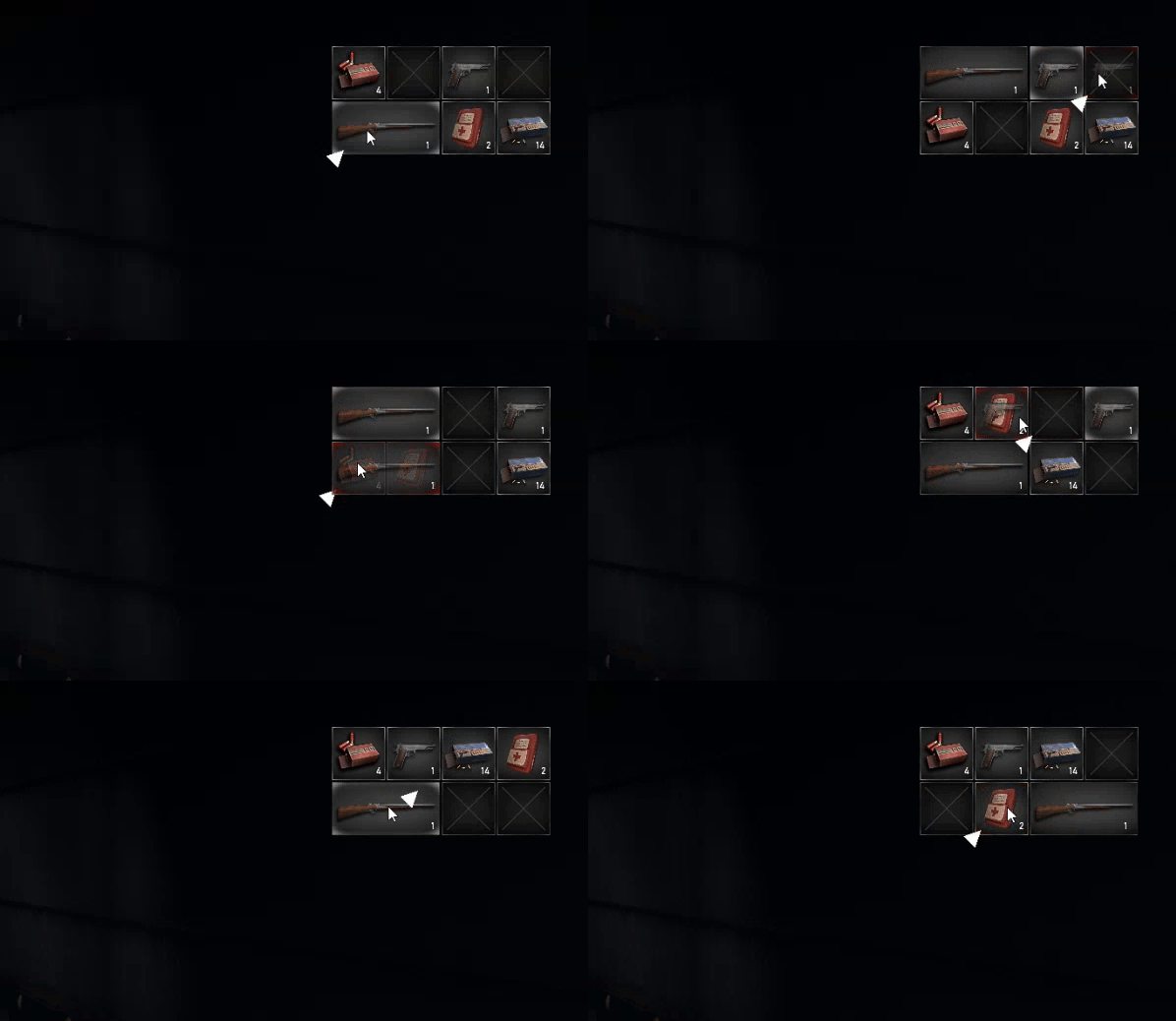
With my two item sizes needed for our group project, I decided to focus on getting the "sorting" implemented. In Resident Evil 2 Remake, the inventory will lightly reorganize to always accommodate any item movement the player does. For single slot items simply swapping the positions will give the expected behavior. However, for multi-slot items, it quickly turned into a nightmare.

Simple swap

A bit tricky

Oh boy
I began by handling cases when the item being moved was a two slot item. This was again quite simple when the destination only had single slot items. However, the amount of cases I needed to handle grew out of hand when considering different arrangements with both single-slot and multi-slot items.
My ambition to have items with varying sizes was quickly squashed, as handling item-sizes greater than two would grow in complexity, almost exponentially with my implementation. Thankfully, upon further inspection of Resident Evil 2 Remake, I realized they also avoided item larger than two slots.
Part 3
Conclusion
While I'm happy with the end result, I could have planned better. Instead of jumping straight into writing code, I should have done more in-depth research on all systems needed for a Resident Evil 2 Remake style inventory. If I had done this, I would have noticed the inventory sorting problem earlier and could have taken it into consideration when designing the surrounding systems.